
Car Obby 3D


Car Obby 3D
Instructions
Description
Conquer Every Obstacle in Car Obby 3D
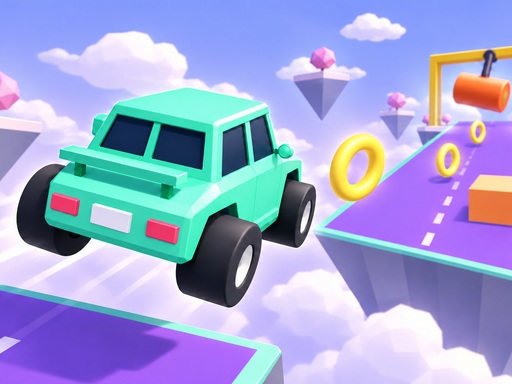
You drive a tiny car through twelve floating obstacle courses suspended high above the clouds. This WebGL title tests your precision driving and quick reflexes. You face swinging hammers, spinning obstacles, and moving platforms that try to knock you off the track. Every level presents a new challenge for your car. You must navigate tight turns and massive gaps to reach the finish line. The high-altitude setting adds a sense of tension to every jump. Collecting coins is vital for your progress. These coins allow you to unlock eight different car designs to customize your ride. You can track your best times and improve your skills as you move through the stages. Each course feels unique, requiring you to adjust your speed and direction constantly. You find these high-speed challenges on zistop.
Mastering Car Obby 3D Controls
You control your vehicle using different methods depending on your device. You use a keyboard on desktop for full control, providing manual braking and resetting capabilities. On mobile, you enjoy automatic acceleration, which keeps the action moving while you focus on steering. The controls respond with speed to your inputs, helping you avoid sudden hazards.
- Desktop W Up accelerate S Down brake and reverse A D or Left Right steer Space brake R reset Esc pause
- Mobile automatic acceleration drag left right on the thumb pad to steer and down to brake Tap a purchased boost to use it
Winning Strategies for Car Obby 3D
Winning requires careful timing and smart use of your resources. You cannot rely on speed alone when dodging spinning obstacles or swinging hammers. You should focus on collecting coins to purchase essential boosts. The Ghost boost lets you pass through solid objects for three seconds. Nitro gives you a five-second speed burst to clear long stretches. If you prefer airtime, use the Jump or Flight boosts to stay above the danger. These boosts last for five seconds each. You tap your stored boosts while driving to activate them instantly. If you fall from a platform, your checkpoint brings you back to safety so you can try again. Use the R key on desktop to reset your car if you get stuck in a difficult spot. Mastering the physics of the car makes a huge difference in your ability to complete the hardest courses. You can find more ways to improve your driving skills at zistop.
Managing your momentum is key when you hit a moving platform. If you approach too fast, you might slide off the edge. If you approach too slow, the platform might move away from you. This balance of speed and patience defines the difficulty of the game. Each of the twelve courses builds on the last, increasing the complexity of the jumping sections and the movement of the obstacles. You will need to use every boost at the right moment to succeed. Practice makes perfect, and your saved progress ensures you never lose too much ground. The variety of car designs keeps the experience fresh, giving you something new to
