


Echogenesis
Instructions
Controls
Use the left mouse button to interact.Description
Echogenesis – The Interactive Soundscape by zistop
Imagine a browser window that feels like a living museum. Five distinct environments pulse with ambient Music, curious Animal calls, and kinetic Art that reacts to every click. Each scene is a sandbox of cause‑and‑effect, built on crisp Flash visuals that keep the experience buttery smooth. You’re not just watching; you’re shaping the soundtrack of a digital ecosystem. That’s why Echogenesis hooks you from the first hover.
zistop’s Point‑and‑Click Magic
Controls are stripped down to the essentials. Use the left mouse button to interact. Every object knows its language—some wait for a click, others respond to a drag, and the rest come alive when you simply hover.
- Click: Tap static items like stones or lanterns to trigger melodic chimes.
- Drag: Pull floating ribbons or wandering critters to rearrange the acoustic layout.
- Hover: Glide the cursor over glowing flora to unleash layered harmonies.
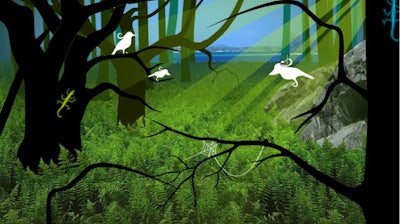
Strategic play isn’t about high scores—it’s about mastering the rhythm of interaction. Start by mapping each environment’s signature sound palette; note which Animal calls sync with the ambient Music. Layer complementary tones to unlock hidden visual bursts—those flash‑bright moments reward patience and curiosity. As you progress, the game nudges you toward “sound chains”: sequences where a click on a leaf triggers a bird, whose call then activates a distant wind chime. Building longer chains multiplies the visual Art effects and gradually reveals secret zones. Keep an eye on the cursor icon; it’s your real‑time guide to the next possible action.
Ready to turn curiosity into a personal symphony? Jump into zistop’s latest masterpiece and let every pixel sing. Install Echogenesis now, and start crafting the most immersive Point and Click experience the web has ever heard.
