
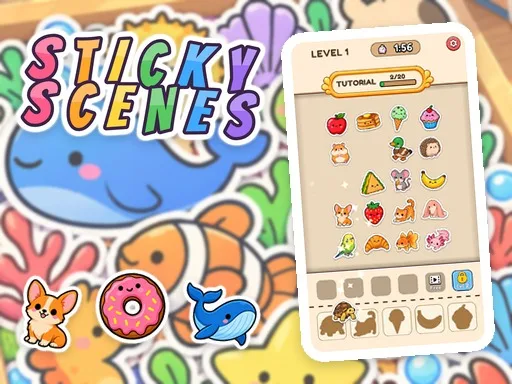
Sticky Scenes


Sticky Scenes
Instructions
Description
Sticky Scenes – A Cute Puzzle Adventure
Sticky Scenes drops you into a colorful board of stickers and matching shapes. You guide cute animal characters, tasty snacks, and whimsical treats into their proper slots. Each correct placement clears space, pushes the timer forward, and reveals the next challenge. The game’s casual vibe invites quick sessions, while the layered puzzles keep you reaching for the next level. Built with HTML5 and WebGL, it runs smooth on Mobile browsers and desktop alike, delivering a relaxing 2D experience that feels fresh every time you play.
Sticky Scenes Mechanics
The control scheme stays intuitive. Click, tap, or drag the right sticker and watch it snap into place.
- Mouse click a sticker on the board to stick it into its shape
- Touch tap a sticker
- Sticker book click tap a sticker or drag it onto the picture
- Buttons Hint extra bench slot Settings
Sticky Scenes Strategy
Start each level by scanning the shape row. Spot the silhouette that matches the most abundant sticker on the board and lock it in first. Reserve bench slots for rare pieces; a full bench ends the round, so you trade speed for foresight. Use the Hint button only when the timer presses hard—each hint costs a bench slot, so plan its use wisely. As you progress through the 47 Levels across 11 themed chapters, the puzzle density rises. Keep an eye on the Animal and Candy Kingdom scenes; they introduce overlapping shapes that demand precise timing. Collect new stickers in the Sticker Book after every win and decorate the chapter picture for extra satisfaction.
Ready to start sticking? Jump into the cute chaos, beat the clock, and fill every scene with charm. Visit zistop now and claim your first batch of stickers.