
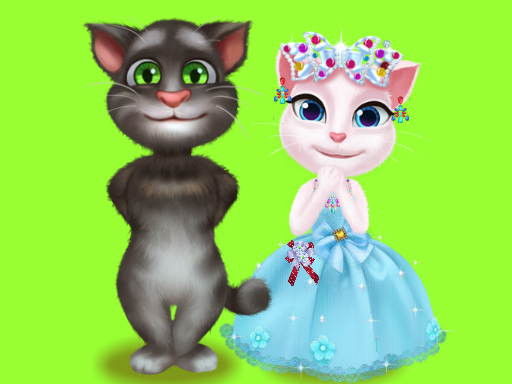
Talking Tom Cat Designer


Talking Tom Cat Designer
Instructions
Description
Talking Tom Cat Designer: Fashion‑Forward Fun for Every Girl
Tom’s got a new mission—craft a stunning outfit for his beloved wife. You step in as his right‑hand stylist, sorting tools, picking fabrics, and pulling off runway‑ready looks. The game’s fast‑paced, click‑and‑drag vibe hooks anyone who loves a good dress‑up challenge, especially girls who dream of designing couture from scratch.
How to Play (Mouse)
All actions run on a simple mouse interface. Point, click, and drag to bring Tom’s closet to life.
- Select tools: Click the toolbox icon, then choose scissors, needle, or paint brush.
- Gather materials: Drag fabric rolls, buttons, and ribbons onto the workbench.
- Place items: Hover over Tom’s silhouette, click to drop a piece, then adjust size with the scroll wheel.
- Color & pattern: Open the palette, pick a hue, or apply a printed texture with a single click.
- Preview & save: Hit the mirror button to see the final look, then press the save icon to lock the design.
Tips to Keep Your Designs Fresh
Progress isn’t just about finishing a single outfit. Each successful design awards style points that unlock premium fabrics, exotic accessories, and themed challenge rooms. Mix‑and‑match textures early to discover hidden combos—silk + sequins yields a sparkle boost, while denim + neon spikes the trend meter.
Daily challenges rotate between “Glam Girl Night” and “Street‑Style Sprint,” pushing you to meet tight time limits. Beat the clock, earn bonus points, and climb the leaderboard where top designers showcase their work to a global community of girls and fashion fans.
Don’t forget to share your creations on the in‑game gallery. Likes translate into extra coins, which you can spend on exclusive décor for Tom’s studio. The more you interact, the faster new collections roll out, keeping the experience fresh week after week.
Ready to prove you’ve got the flair to out‑design Tom? Jump into Talking Tom Cat Designer now, and let zistop guide you through a stylish adventure that never runs out of runway moments. Grab your mouse, start stitching, and watch the applause roll in.